Back to home

// Selected work

Portfolio

Business analysis artifacts in classic notations — BPMN 2.0, UML 2 and DFD.

Each one is prepared for this portfolio: typical processes and systems from my practice, drawn with generic names and no client data.

01 // Process & Notation
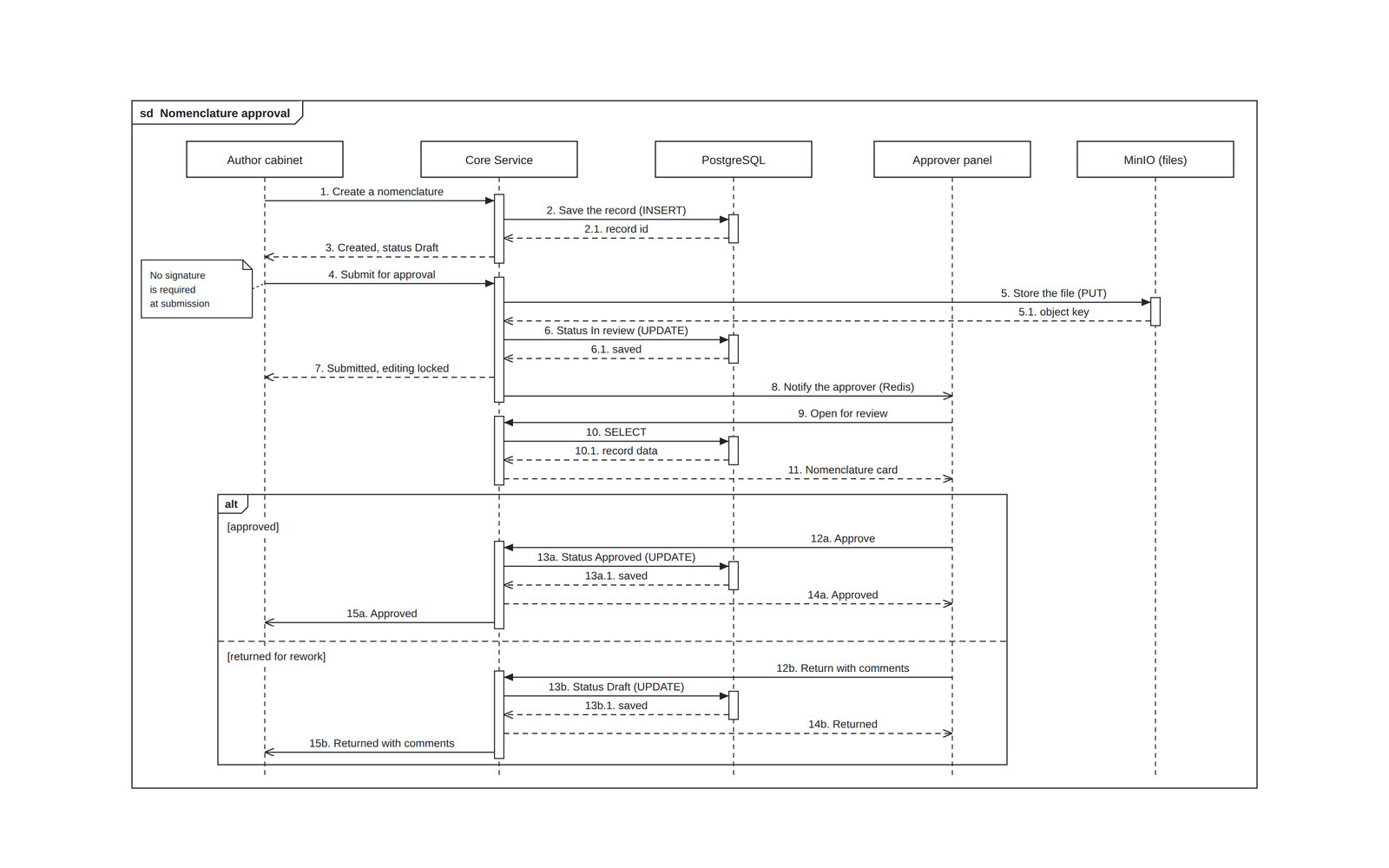
UML sequence diagram of a nomenclature approval flow: five lifelines incl. PostgreSQL and MinIO, synchronous and asynchronous messages, replies, activation bars and an alt fragment
UML · Sequence GovTech

Nomenclature Approval Flow

How a catalogue item moves from Draft to Approved — statuses, edit locks, file storage and notifications in one sequence.

// tap to inspect

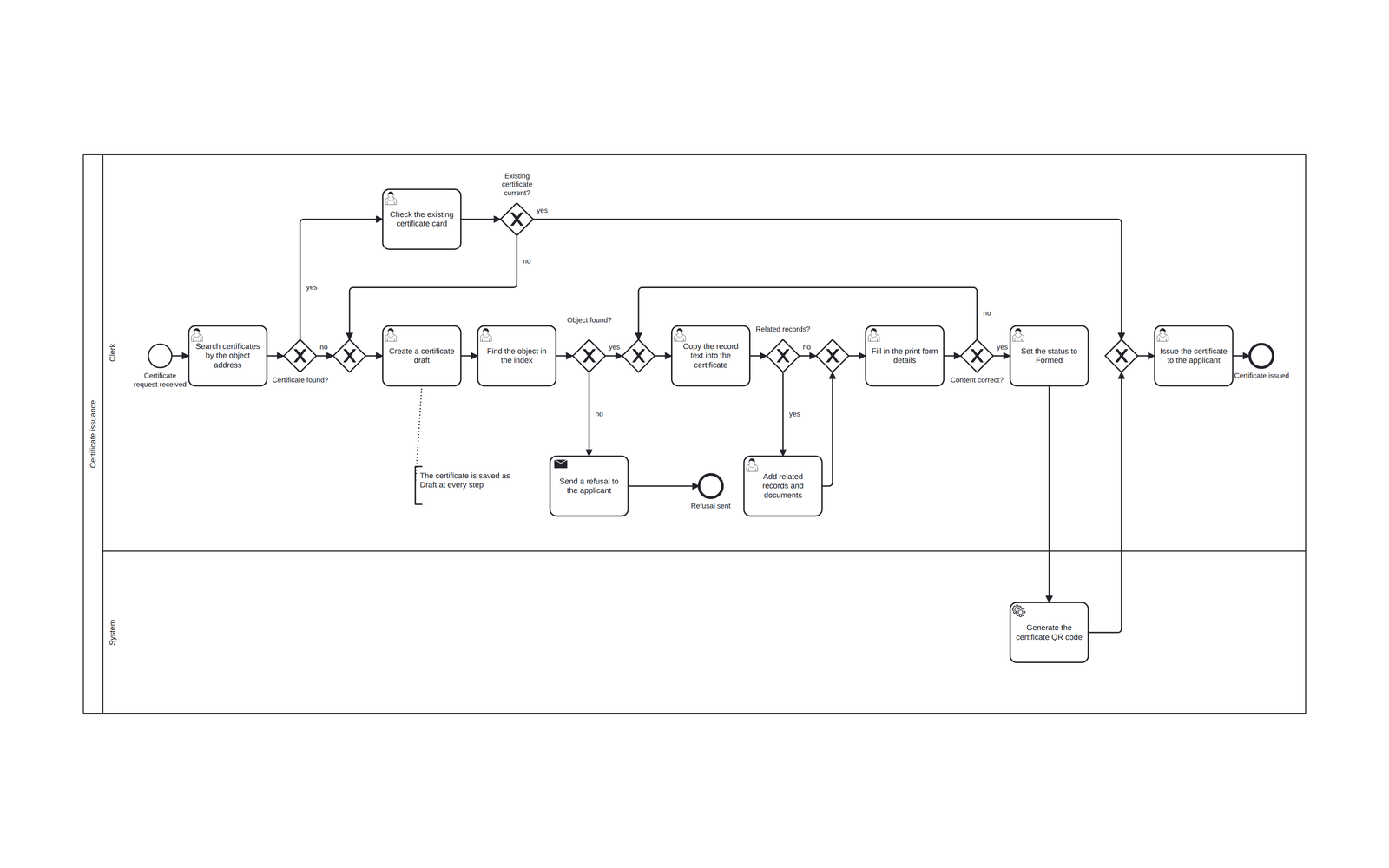
BPMN 2.0 diagram of certificate issuance from registry records: clerk and system lanes, user, send and service tasks, explicit merge gateways, a refusal path and a rework loop
BPMN 2.0 GovTech

Certificate Issuance from Registry Records

Reuse a certificate already issued or build a new one from registry records — with a refusal path and a QR code for verification.

// tap to inspect

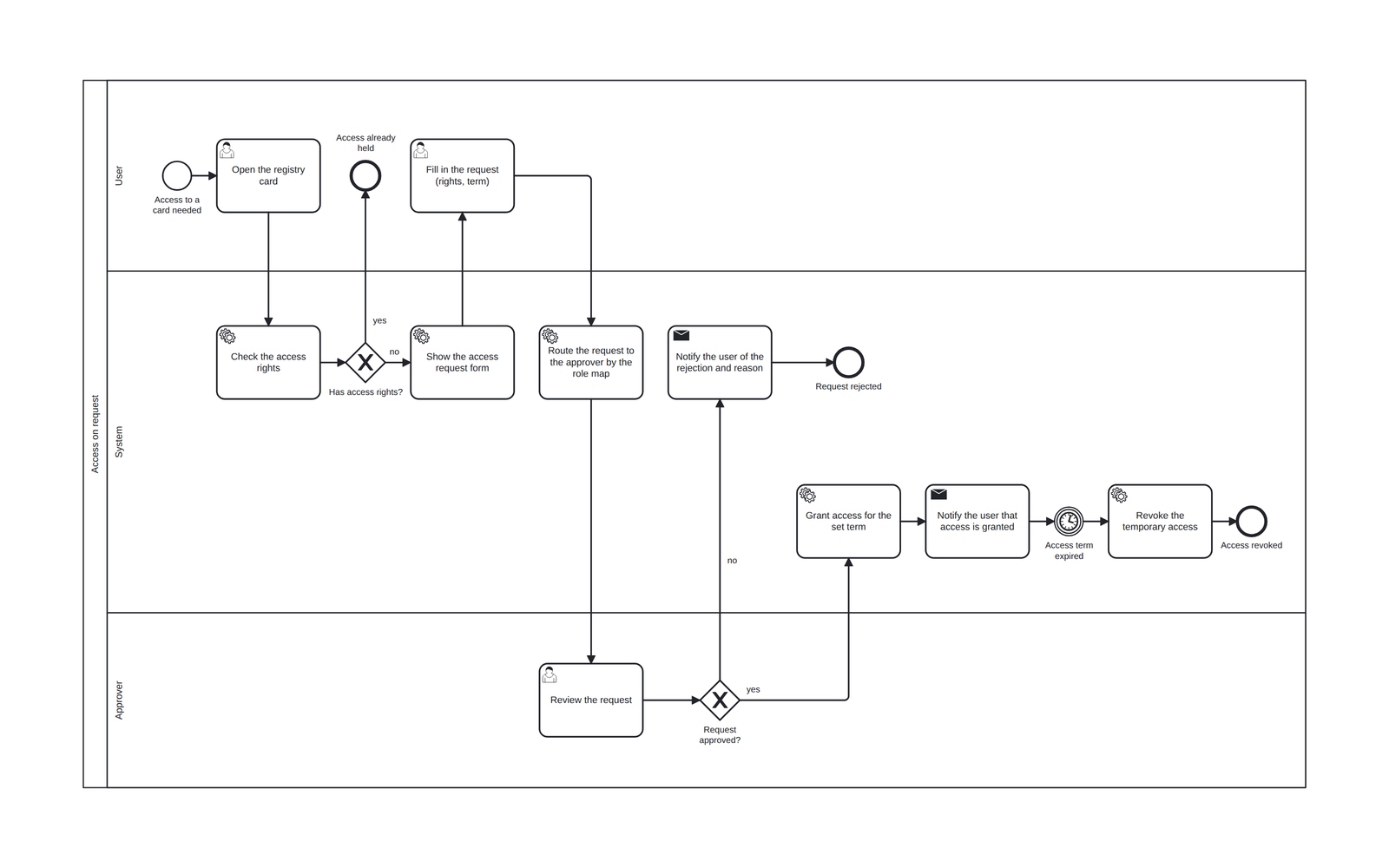
BPMN 2.0 diagram of an access request and approval in user, system and approver lanes, with send tasks and a timer event that revokes temporary access
BPMN 2.0 GovTech

Access Request & Approval

Time-boxed access to a registry card: requested by the user, routed by the role map, revoked automatically when the term ends.

// tap to inspect

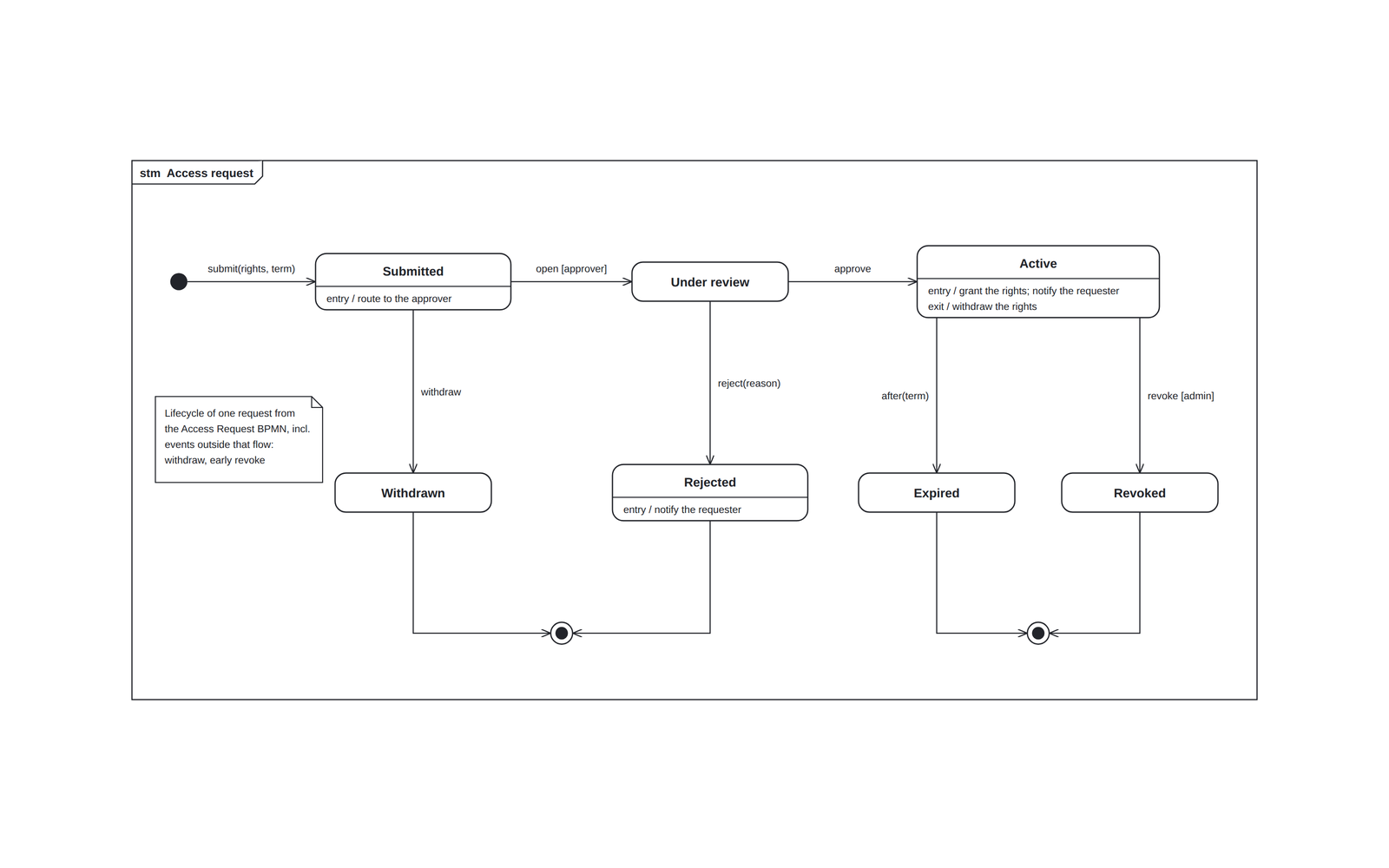
UML 2 state machine of an access request: initial and final states, states with entry and exit activities, a time event after(term), guards and effects on transitions
UML · State Machine GovTech

Access Request — Lifecycle

The access request from the BPMN, seen as states: submitted, under review, active until the term runs out — and every way it can end.

// tap to inspect

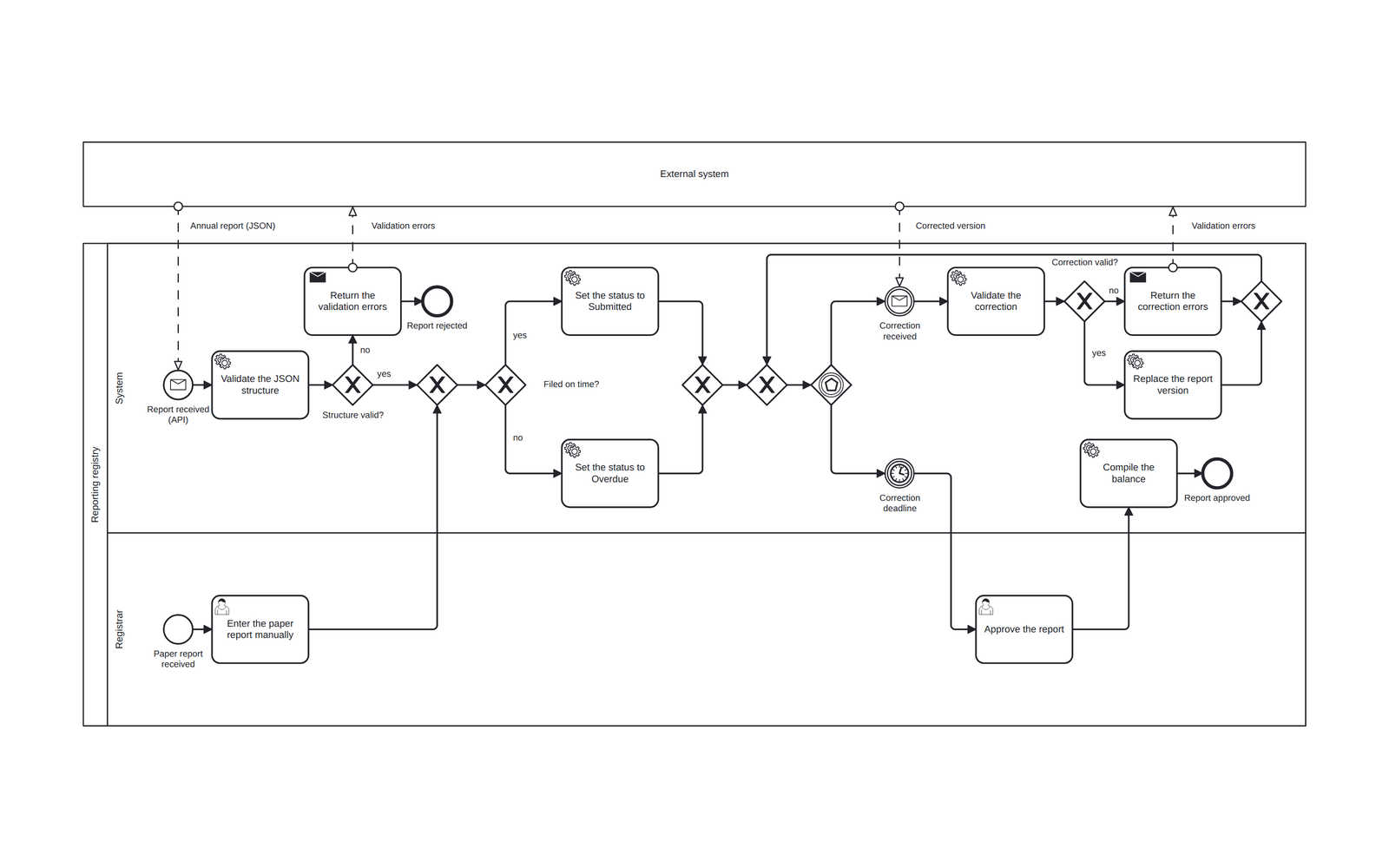
BPMN 2.0 collaboration diagram of annual reporting via API or paper: message flows with an external system, a validation error path, an event-based gateway and a correction deadline timer
BPMN 2.0 Energy & Utilities

Annual Reporting Flow

Two ways in — API (JSON) or paper — one way out: validation, deadline-driven statuses, versioned corrections and registrar approval.

// tap to inspect

02 // Architecture & Data
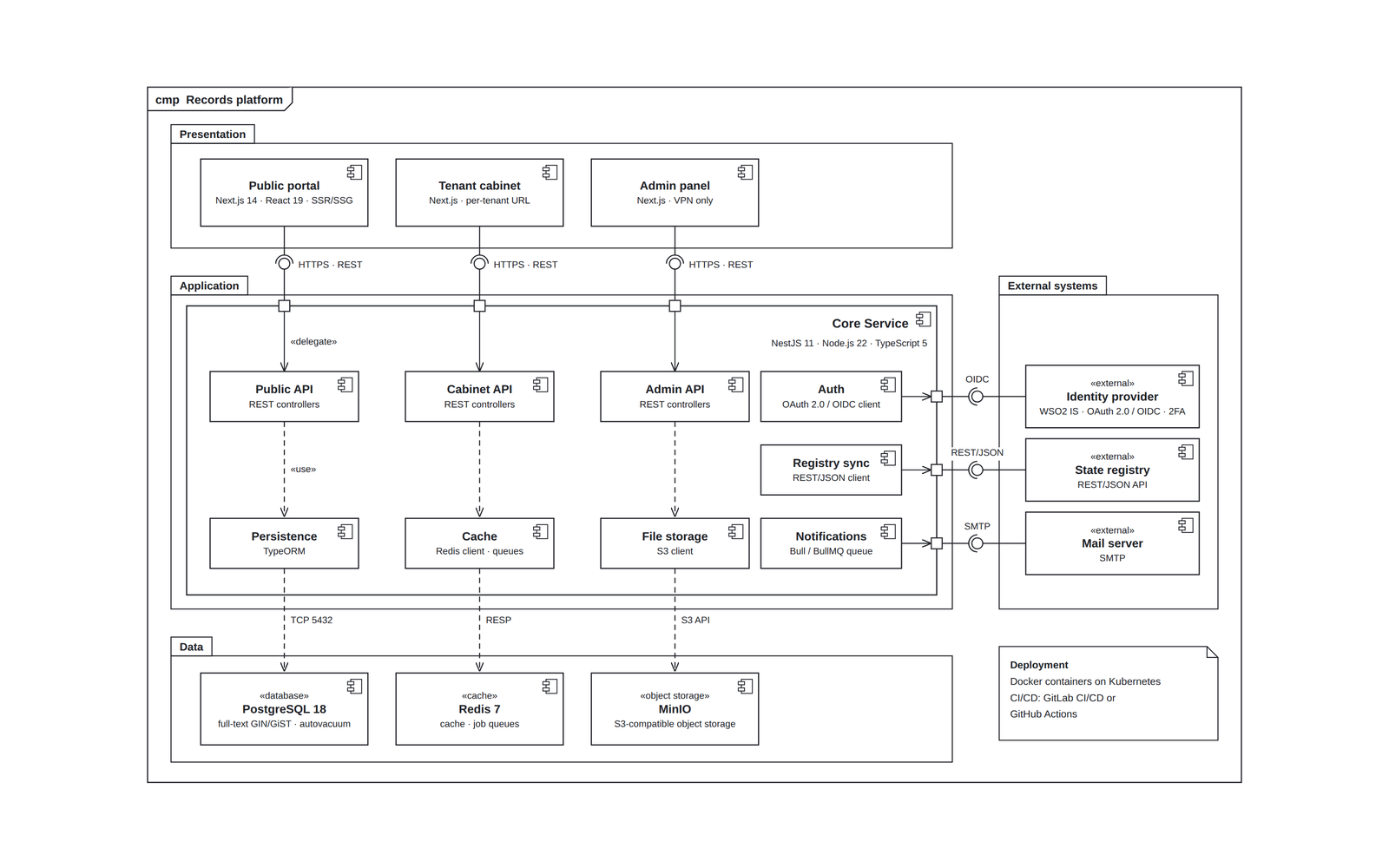
UML component diagram of a multi-tenant records platform: presentation, application, data and external-system packages, ports with delegation connectors, ball-and-socket interfaces and «use» dependencies
UML · Component SaaS

System Architecture

Multi-tenant records platform: three front doors over one NestJS core, with PostgreSQL, Redis, object storage and OAuth 2.0 / OIDC.

// tap to inspect

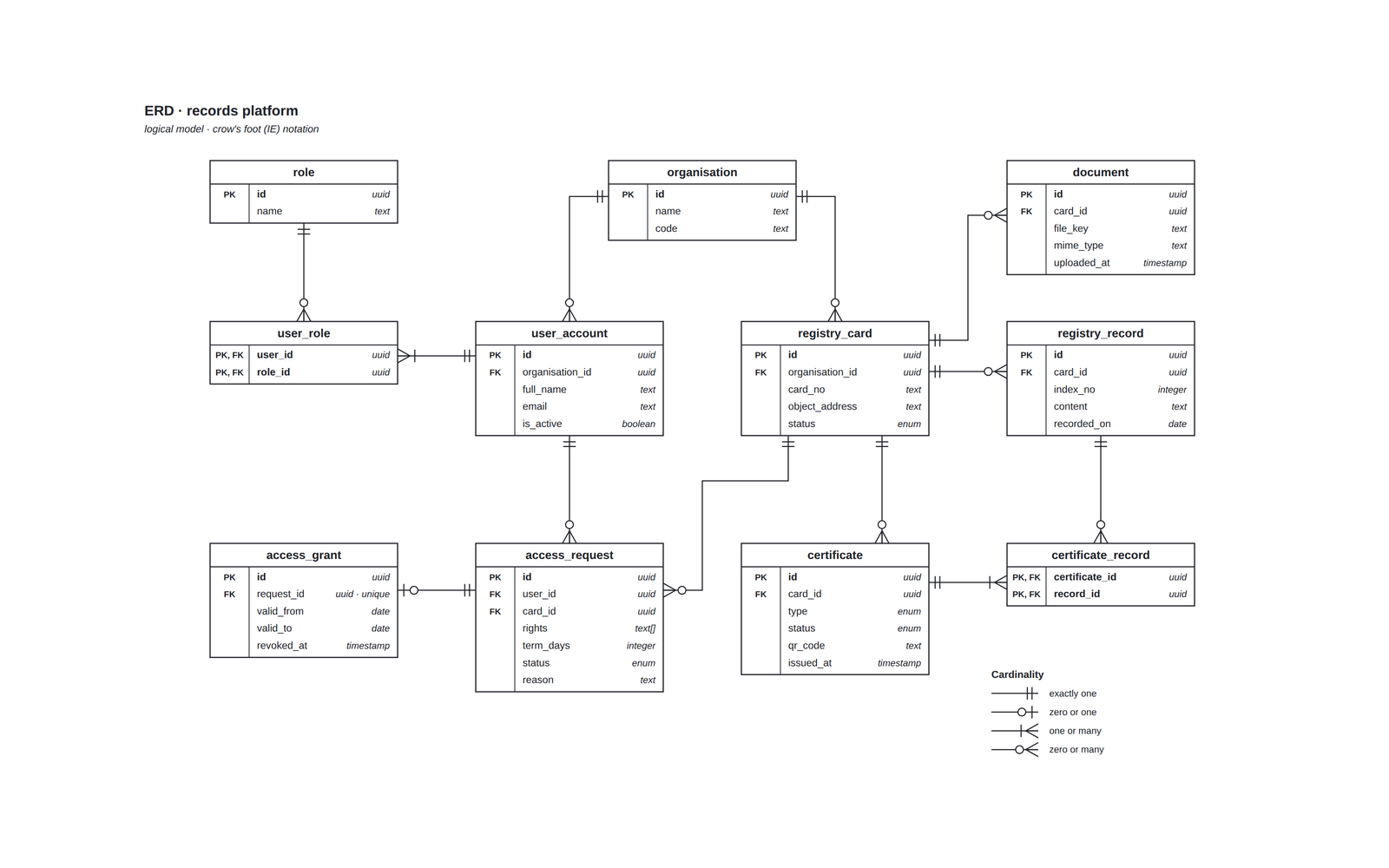
Logical ERD in crow's foot notation of a records platform: eleven tables with primary and foreign keys, a many-to-many junction for roles and for certificate records, and cardinality marks at both ends of every relationship
ERD · Crow's Foot GovTech

Records Platform — Data Model

The logical model behind the registry flows: organisations, users and roles, cards with records and documents, certificates and access requests.

// tap to inspect

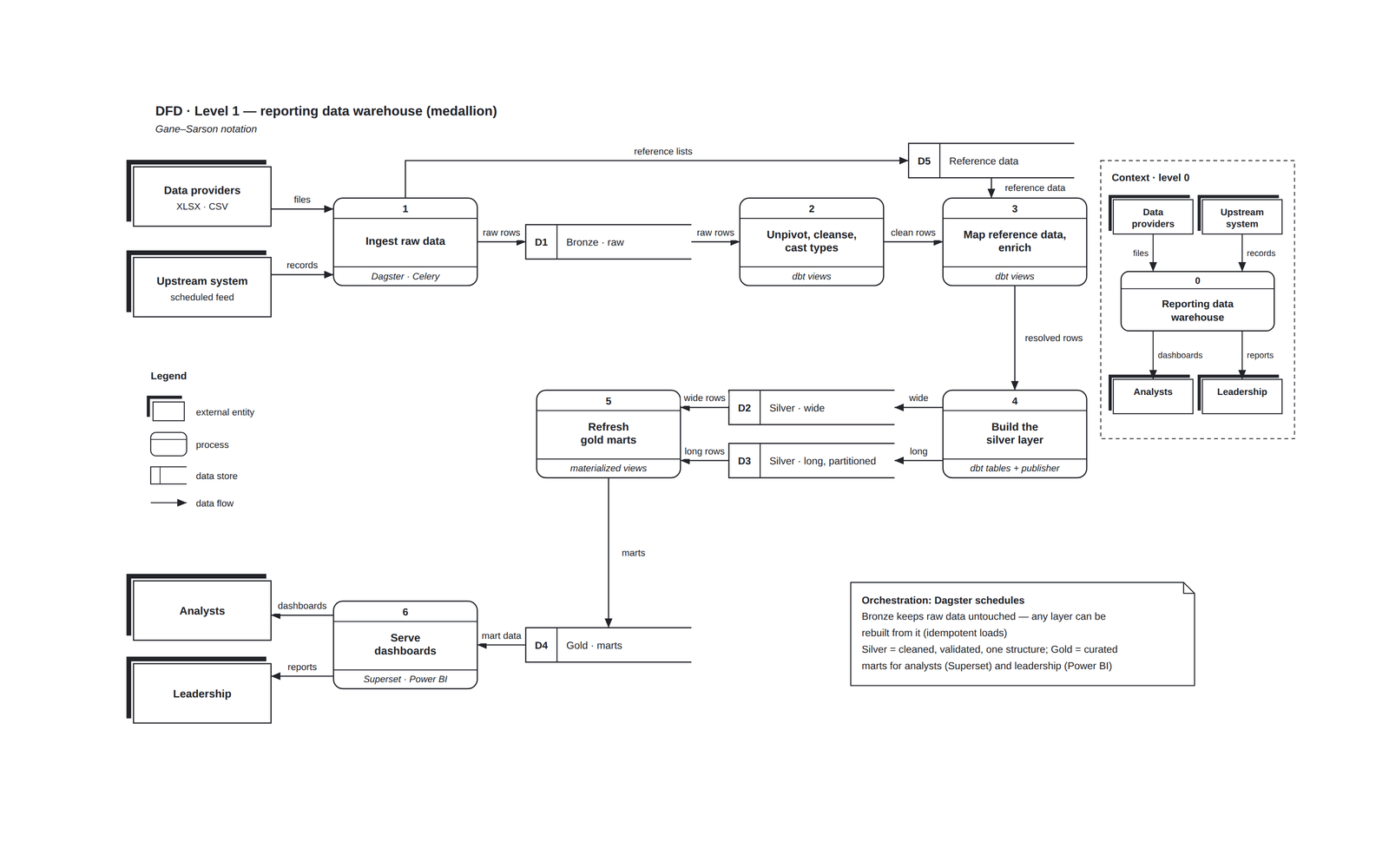
Level-1 data flow diagram in Gane–Sarson notation of a medallion data warehouse with its level-0 context diagram: processes, Bronze, Silver, Gold and reference data stores, external entities and labelled data flows
DFD · Gane–Sarson Blockchain & Crypto

Medallion Data Pipeline

Bronze → Silver → Gold warehouse: raw ingestion, cleaning and validation, curated marts feeding Superset and Power BI dashboards.

// tap to inspect

03 // AI in Practice
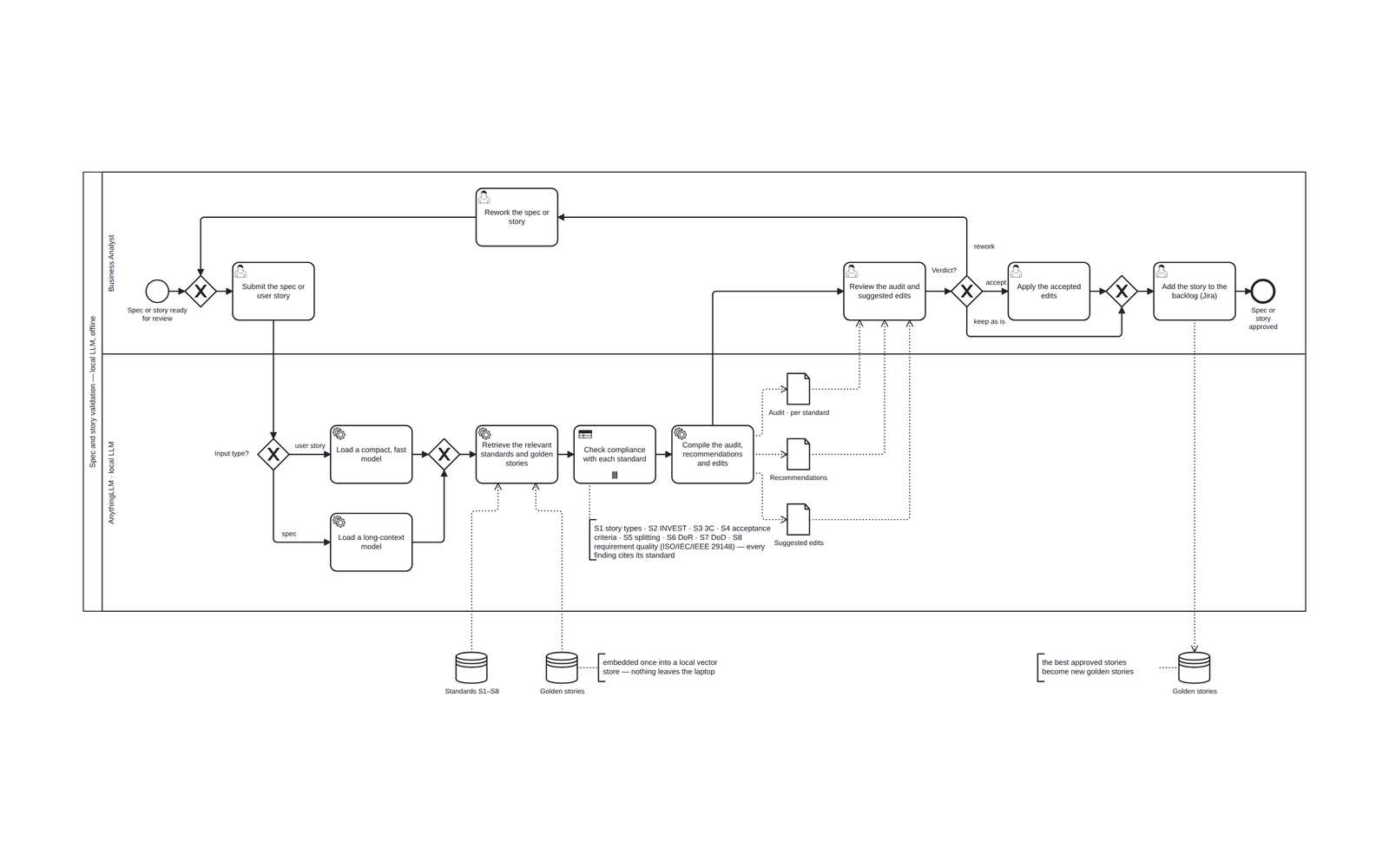
BPMN 2.0 diagram of spec and user story validation on a local LLM: business analyst and local LLM lanes, the model picked by input type, a parallel multi-instance check against eight standards, audit, recommendations and suggested edits as data objects, a three-way analyst verdict (accept the edits, keep as is, rework) with a rework task, standards and golden stories data stores
BPMN 2.0 · RAG Local LLM

Spec & Story Validator

A local LLM checks a spec or a user story against eight standards and a set of golden stories, then returns an audit, recommendations and suggested edits — the analyst makes the call.

// tap to inspect

Want the details?

I can walk you through the reasoning behind any of these on a call.